
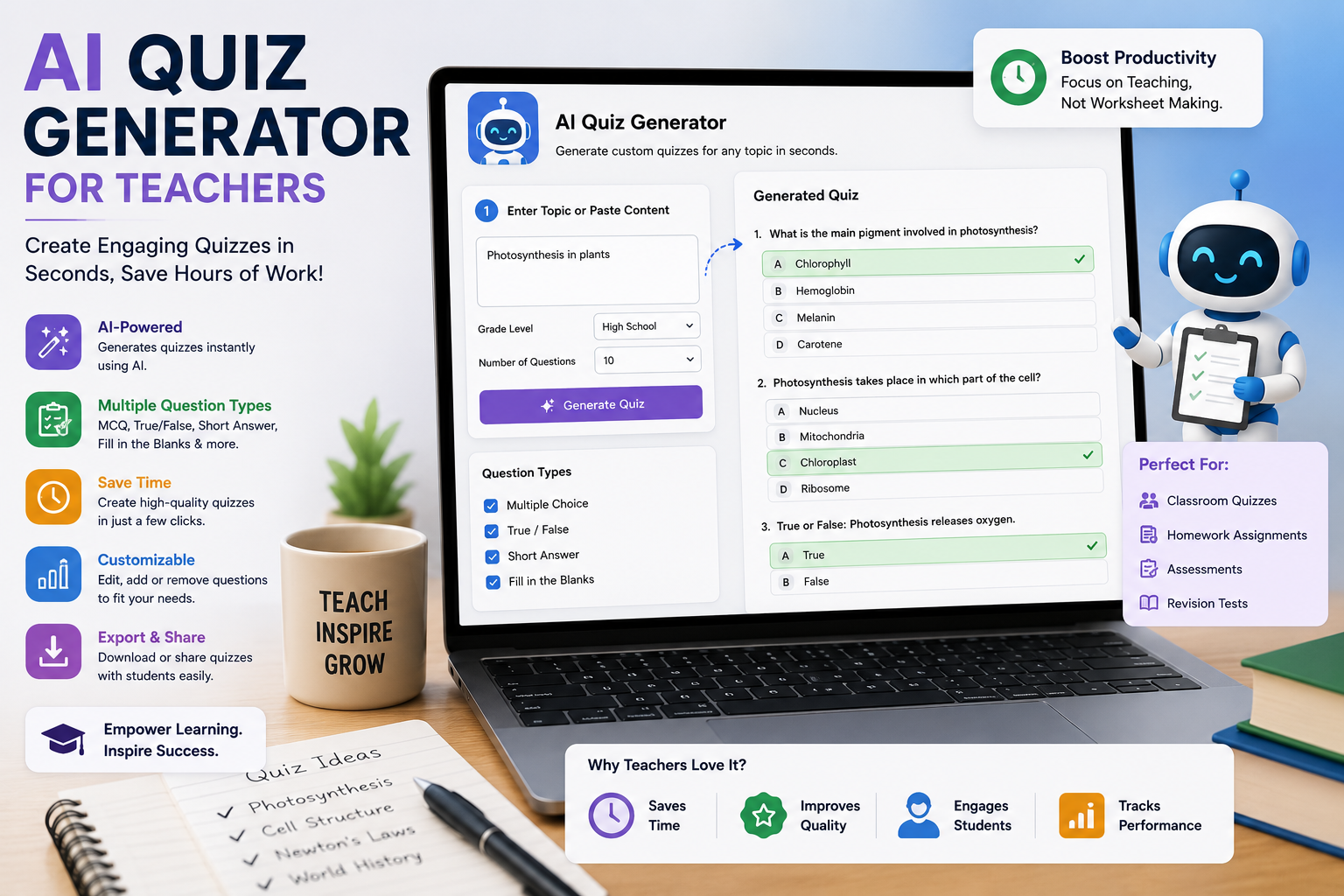
Picture this: it’s Sunday evening, and instead of relaxing before the school week begins, you’re hunched over your laptop creating yet another spelling quiz, a math check-in, and a reading comprehension worksheet. Sound familiar? For most primary school educators, quiz creation eats up hours every single week. That’s exactly why an AI quiz generator for teachers has become one of the most talked-about tools in education today.
In this post, we’ll explore how an AI quiz generator for teachers works, why it’s a game-changer for the elementary classroom, and how it fits into the wider world of kid-friendly AI tools that are transforming K-5 teaching.
What Is an AI Quiz Generator for Teachers?
An this is a smart tool that automatically creates quizzes, assessments, and practice questions from almost any input. You can paste in a reading passage, upload a lesson plan, or simply type a topic like “fractions for Grade 3,” and within seconds the tool produces multiple-choice questions, true/false items, fill-in-the-blanks, and even open-ended prompts.
Unlike old-school question banks, a modern AI quiz generator for teachers doesn’t just recycle pre-written questions. It understands your content and generates fresh, relevant questions tailored to your students’ grade level. For anyone exploring AI for primary school teachers, this is usually the very first tool that delivers an instant “wow” moment.
Why Primary School Teachers Are Embracing AI
Teaching young learners is uniquely demanding. K-5 teachers juggle phonics, reading, writing, math, science, and social-emotional learning often all before lunch. AI for primary school teachers isn’t about replacing the human touch; it’s about giving educators their time back.
Here’s what makes the difference:
Time savings that actually matter. Teachers report saving 3–5 hours per week on assessment creation alone. That’s time you can redirect to lesson planning, small-group instruction, or simply going home earlier.
Differentiation made simple. Every elementary classroom has readers at wildly different levels. An AI quiz generator for teachers can produce three versions of the same quiz one simplified, one on-level, and one advanced in under a minute.
Instant feedback loops. Many AI-powered quiz platforms grade automatically and highlight which concepts students are struggling with, so you can reteach before small gaps become big ones.
AI Reading Tools for Kids: Beyond the Quiz
Quizzes are just the beginning.AI reading tools for kids can now listen to a child read aloud, gently correct mispronunciations, and track fluency over time something no single teacher could do for 25 students simultaneously.
These AI reading tools for kids work beautifully alongside quiz generators. Here’s a simple workflow many teachers love:
- A student reads a leveled passage using a reading assistant.
- The teacher pastes that same passage into an this.
- The tool creates comprehension questions matched to the student’s level.
- Results feed back into small-group planning.
This creates a complete literacy loop reading practice, comprehension checks, and data all powered by tools designed for young learners.
AI Phonics and Literacy Tools for Early Learners
For kindergarten through second grade, phonics is the foundation of everything. Modern AI phonics and literacy tools can generate decodable sentences using only the letter sounds a class has learned so far, create custom word lists for specific phonics patterns (like CVC words or digraphs), and even produce silly, engaging stories that reinforce target sounds.
Pair these AI phonics and literacy tools with an AI quiz generator for teachers, and you can build a quick “sound check” quiz for every phonics lesson without opening a single workbook. Struggling with the -at word family on Tuesday? Generate a five-question review for Wednesday morning in less time than it takes to pour your coffee.
Read more: free AI tools for teachers
What Makes an AI Tool Truly Kid-Friendly?
Not every AI tool belongs in a primary classroom. Genuinely kid-friendly AI tools share a few important traits:
Age-appropriate content filters. The tool should never produce content unsuitable for children, full stop. Look for platforms built specifically for education with strong safety guardrails.
Simple, visual interfaces. Young students (and busy teachers) need big buttons, clear icons, and minimal text-heavy menus.
Privacy protection. The best kid-friendly AI tools comply with student data privacy laws like COPPA and FERPA, and don’t require students to create personal accounts or share identifying information.
Teacher control. You should always be able to review, edit, and approve anything before it reaches students. A quality that treats you as the editor-in-chief the AI drafts, you decide.
How to Use an AI Quiz Generator for Teachers: A Practical Guide
Ready to try it? Here’s how most educators get started:
Step 1: Choose your source material. This might be a chapter from your science unit, a read-aloud book, or your own lesson notes.
Step 2: Set your parameters. Tell the AI quiz generator for teachers the grade level, number of questions, question types, and difficulty. Being specific (“Grade 2, 8 questions, multiple choice, about the water cycle”) gets better results.
Step 3: Review and edit. Always read through the generated questions. Fix anything that feels off, adjust vocabulary for your students, and remove questions that don’t align with your objectives.
Step 4: Deliver and analyze. Print the quiz, project it as a whole-class game, or push it out digitally. Then use the results to guide tomorrow’s teaching.
The whole process typically takes 5–10 minutes compared to 45–60 minutes of manual quiz building.
Building a K-5 Teaching Tools Ecosystem
An AI quiz generator for teachers works best as part of a broader toolkit. When you’re assembling your set of K-5 teaching tools, consider combining:
- Quiz and assessment generators for daily checks and exit tickets
- AI reading tools for kids for fluency practice and independent reading support
- AI phonics and literacy tools for foundational skills in the early grades
- Lesson plan assistants that align activities to your curriculum standards
- Feedback helpers that draft comments for report cards and parent emails
The magic happens when these K-5 teaching tools talk to each other reading data informs quiz difficulty, quiz results shape phonics groupings, and everything feeds into smarter, more responsive teaching.
Read more: ChatGPT prompts for grading
Addressing Common Concerns About AI in Elementary Classroom Settings
It’s natural to have questions about bringing AI in elementary classroom environments. Let’s tackle the big ones:
“Will AI replace teachers?” No. AI can generate a quiz, but it can’t notice that Maya is having a rough morning, or that Liam finally understood regrouping because of that one perfect analogy you invented on the spot. Teaching young children is deeply human work. AI handles the paperwork so you can do more of the human part.
“Are the questions accurate?” Mostly, yes but not always. That’s why the review step is non-negotiable. Think of your AI quiz generator for teachers as an enthusiastic student teacher: incredibly fast and helpful, but still needing your professional oversight.
“Is it fair to students?” When used thoughtfully, AI actually increases fairness. Differentiated quizzes mean every child is assessed at a level where they can show what they know, rather than being handed a one-size-fits-all test.
Tips for Getting the Best Results
After talking with teachers who use these tools daily, a few best practices stand out:
- Start small. Use your this for one subject first spelling or math facts are easy wins.
- Save your best prompts. When you find a request format that produces great questions, keep it in a doc and reuse it.
- Involve students appropriately. Older elementary students love helping to “quiz the AI” spotting a flawed question becomes a critical-thinking exercise in itself.
- Share with your team. One teacher’s generated quiz bank can serve the entire grade level, multiplying the time savings.
The Bottom Line
The teaching profession doesn’t need more late nights and Sunday-evening worksheet marathons. It needs tools that respect teachers’ time and expertise. A quality that delivers exactly that faster assessment creation, effortless differentiation, and richer data about student learning.
Combined with AI reading tools for kids, AI phonics and literacy tools, and other kid-friendly AI tools, it forms the backbone of a modern K-5 teaching toolkit. The role of AI in elementary classroom life isn’t to replace the teacher at the front of the room it’s to make sure that teacher has the time, energy, and information to do what they do best: teach.
If you haven’t tried an AI quiz generator for teachers yet, this week is the perfect time to start. Your Sunday evenings will thank you.