
Picture this: it’s Sunday evening, and a stack of 120 essays is staring back at you from the kitchen table. You’ve promised yourself you’ll finish before Monday, but deep down you know that means rushed comments, tired eyes, and feedback your students will barely glance at. Sound familiar?
If so, you’re exactly who this guide is for. Learning how to grade essays with AI isn’t about replacing your judgment as an educator. It’s about reclaiming your evenings, giving students faster feedback, and focusing your energy where it actually matters teaching.
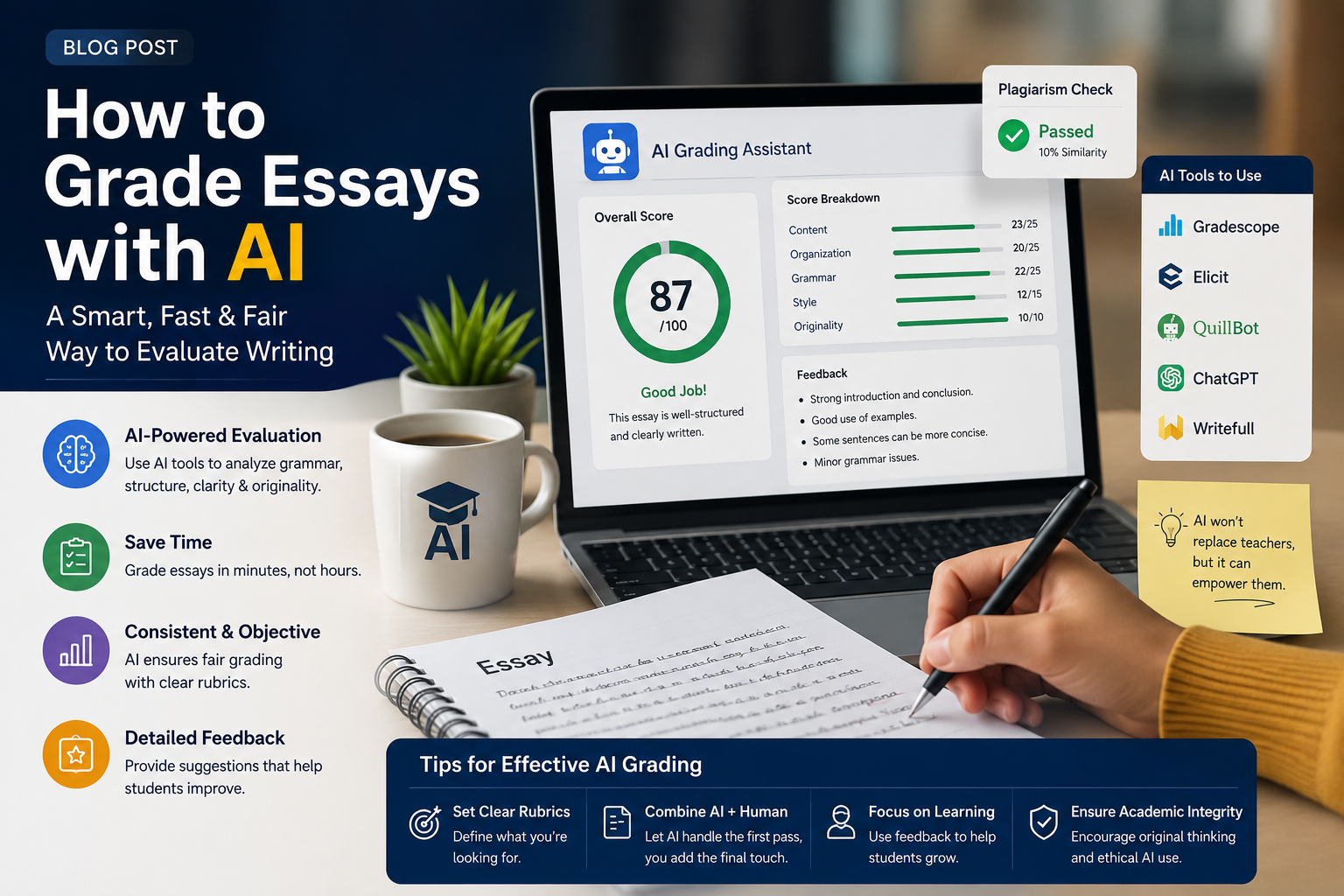
In this post, we’ll walk through how to grade essays with AI step by step, which tools are worth your time, how to keep grading fair and transparent, and how AI can support the rest of your workflow too, from an AI test generator to a free quiz maker for teachers.
Why Teachers Are Turning to AI for Essay Grading
The math is brutal. If you spend just 10 minutes per essay and teach 120 students, that’s 20 hours of grading for a single assignment. Multiply that across a semester, and it’s no wonder burnout is one of the biggest reasons teachers leave the profession.
AI essay grading tools address three pain points at once:
Speed. What used to take a weekend can now take an afternoon. AI can read, evaluate, and draft feedback on an essay in seconds, leaving you to review and personalize.
Consistency. Human graders naturally drift. The 5th essay gets sharper scrutiny than the 95th. AI applies the same rubric with the same rigor to every single paper, whether it’s graded at 9 a.m. or 9 p.m.
Richer feedback. Instead of scribbling “awk” in the margin, AI can explain why a sentence is awkward and suggest how to fix it. Students get actionable comments instead of cryptic shorthand.
How to Grade Essays with AI: A Step-by-Step Workflow
Knowing how to grade essays with AI effectively comes down to a repeatable process. Here’s a workflow that works whether you teach middle school English or a university writing seminar.
Step 1: Build a Clear Rubric First
AI is only as good as the criteria you give it. Before uploading a single essay, define your rubric: thesis clarity, evidence and support, organization, grammar and mechanics, and voice. Assign point values or performance levels for each. A vague prompt like “grade this essay” produces vague results; a detailed rubric produces feedback that actually mirrors your standards.
Read more: ai rubric generator
Step 2: Choose Your Tool
There are three broad categories to consider:
- General AI assistants (like Claude or similar chat-based tools). You paste in your rubric and the essay, and the AI returns scores and feedback. Maximum flexibility, minimal cost.
- Dedicated grading platforms (such as EssayGrader, CoGrader, or Gradescope’s AI features). These integrate with your LMS, handle batches of essays, and keep records automatically.
- All-in-one teaching suites. Tools like Quizizz AI and similar platforms bundle grading support with other classroom features, so essay feedback lives alongside your quizzes and assignments.
Step 3: Run a Calibration Test
Before trusting AI with a full class set, grade five essays yourself, then run the same five through your chosen tool. Compare the results. Is the AI too harsh on grammar? Too generous on thesis quality? Adjust your rubric language and prompt until the AI’s scores land within a point or two of yours. This calibration step is the single most important part of learning how to grade essays with AI responsibly.
Step 4: Grade in Batches, Review Individually
Upload or paste essays in batches, then review each AI-generated evaluation before it reaches a student. You’re the editor-in-chief here. Tweak comments so they sound like you, override scores when the AI misses context (like a student writing about a personal experience the AI can’t verify), and add a personal line or two. Students can tell the difference between generic feedback and feedback from a teacher who knows them.
Step 5: Close the Feedback Loop
The best part of grading essays with AI is speed use it. Return feedback within a day or two while the assignment is still fresh, then have students revise based on the comments. Fast feedback plus revision is where real learning happens, and it’s something a two-week grading turnaround simply can’t offer.
Keeping AI Grading Fair, Ethical, and Transparent
Any conversation about how to grade essays with AI has to address the elephant in the room: is it fair to students?
Here are the ground rules experienced teachers follow:
Be transparent. Tell students (and parents, where appropriate) that AI assists your grading process and that you review everything personally. Transparency builds trust; secrecy erodes it.
Never let AI assign final grades alone. AI should draft; you should decide. Every score that lands in your gradebook should have your eyes on it first.
Watch for bias. AI models can undervalue non-standard dialects, multilingual writing patterns, or unconventional structures. If you teach English language learners, review their AI feedback extra carefully.
Protect student privacy. Remove names and identifying details before uploading essays, and check that your tool complies with FERPA, GDPR, or your local student data regulations. Many school districts now maintain approved-tool lists check yours first.
Beyond Essays: Building a Full AI-Powered Assessment Toolkit
Once you’ve mastered essay grading, you’ll notice AI can lighten the load across your entire assessment workflow.
Generating tests in minutes. An AI test generator can take your unit objectives or even a chapter of your textbook and produce a balanced exam with varied question types. Instead of writing 40 questions from scratch, you spend 15 minutes curating and refining.
Quizzes without the busywork. A free quiz maker for teachers is one of the easiest entry points into AI-assisted teaching. Tools in this space Quizizz AI being one of the most popular can build gamified, self-grading quizzes that students genuinely enjoy. Quizizz AI can even adjust question difficulty and generate hints automatically.
Turning any reading into an assessment. A quiz creator from text lets you paste in an article, a chapter, or your own lecture notes and get comprehension questions instantly. It’s perfect for checking whether students actually did the reading.
Faster question writing. A multiple choice question generator handles one of the most tedious tasks in teaching: writing plausible wrong answers. Good distractors are hard to invent at 10 p.m.; AI produces them in seconds, and you simply pick the best ones.
Practice materials on demand. An AI worksheet generator can create differentiated practice sets one version for students who need reinforcement, another for those ready for a challenge without doubling your prep time.
The pattern is the same everywhere: AI drafts, you refine. Whether it’s an essay evaluation, a unit test, or a vocabulary worksheet, your professional judgment stays in the driver’s seat while the repetitive work gets automated.
Read more: report card comments
Common Mistakes to Avoid
Even teachers who understand how to grade essays with AI in theory stumble on a few predictable mistakes in practice:
Skipping the human review. Sending AI feedback straight to students unedited is the fastest way to lose their trust and yours in the tool. One obviously wrong comment undermines fifty good ones.
Using one generic prompt for every assignment. A persuasive essay, a literary analysis, and a lab report need different rubrics. Reuse your workflow, not your exact prompt.
Ignoring student voice. If AI feedback pushes every student toward the same “correct” style, you’ll get a class of identical writers. Explicitly tell your AI tool to preserve and comment positively on individual voice.
Grading what AI can’t see. Growth, effort, and classroom context matter. A student who moved from a D essay to a C+ essay deserves recognition no algorithm will provide. Keep a human layer for the human stuff.
The Bottom Line
Learning how to grade essays with AI is less about technology and more about workflow. Build a strong rubric, calibrate your tool against your own judgment, review everything before it reaches students, and use the hours you save to do what AI never can: build relationships, inspire curiosity, and teach.
Start small. Pick one assignment this month, run it through the five-step workflow above, and compare the experience to your usual Sunday-night marathon. Then expand add an AI test generator for your next unit exam, try a quiz creator from text for Friday’s reading check, and let an AI worksheet generator handle practice materials.
Your red pen isn’t retiring. It’s just getting a very capable assistant.