
It’s Sunday evening. Your coffee has gone cold, your laptop screen is glowing, and you’re staring at a blank lesson plan template for the fourth time this month. Sound familiar?
Here’s the good news:how to create a lesson plan with ai teachers everywhere are cutting their planning time from hours to minutes by learning how to write a lesson plan faster with artificial intelligence. And no, this doesn’t mean handing your classroom over to a robot. It means using AI as the world’s most patient teaching assistant one that never sleeps, never complains, and can draft a differentiated lesson on photosynthesis before you finish your coffee.
In this guide, you’ll learn exactly how lesson planning with AI works, which tools to use (including free options), and a step-by-step process you can start using today.
Why Teachers Are Turning to AI for Lesson Planning
Let’s be honest about the problem first. Studies consistently show that teachers spend 7–12 hours per week on planning and preparation often unpaid, often at home, often at the expense of sleep and sanity.
An AI lesson plan generator doesn’t replace your expertise. You still know your students, your curriculum standards, and what worked how to create a lesson plan with ai last Tuesday. What AI does is handle the heavy lifting:
- Drafting structure objectives, warm-ups, activities, assessments, and closures in seconds
- Generating variety fresh activity ideas when you’ve taught the same unit five years running
- Differentiating instantly the same lesson adapted for advanced learners, struggling readers, and English language learners
- Aligning to standards mapping activities to Common Core, NGSS, or your national curriculum
- Creating materials worksheets, quiz questions, discussion prompts, and rubrics on demand
Think of it this way: AI writes the first draft. You bring the pedagogy, the personality, and the professional judgment.
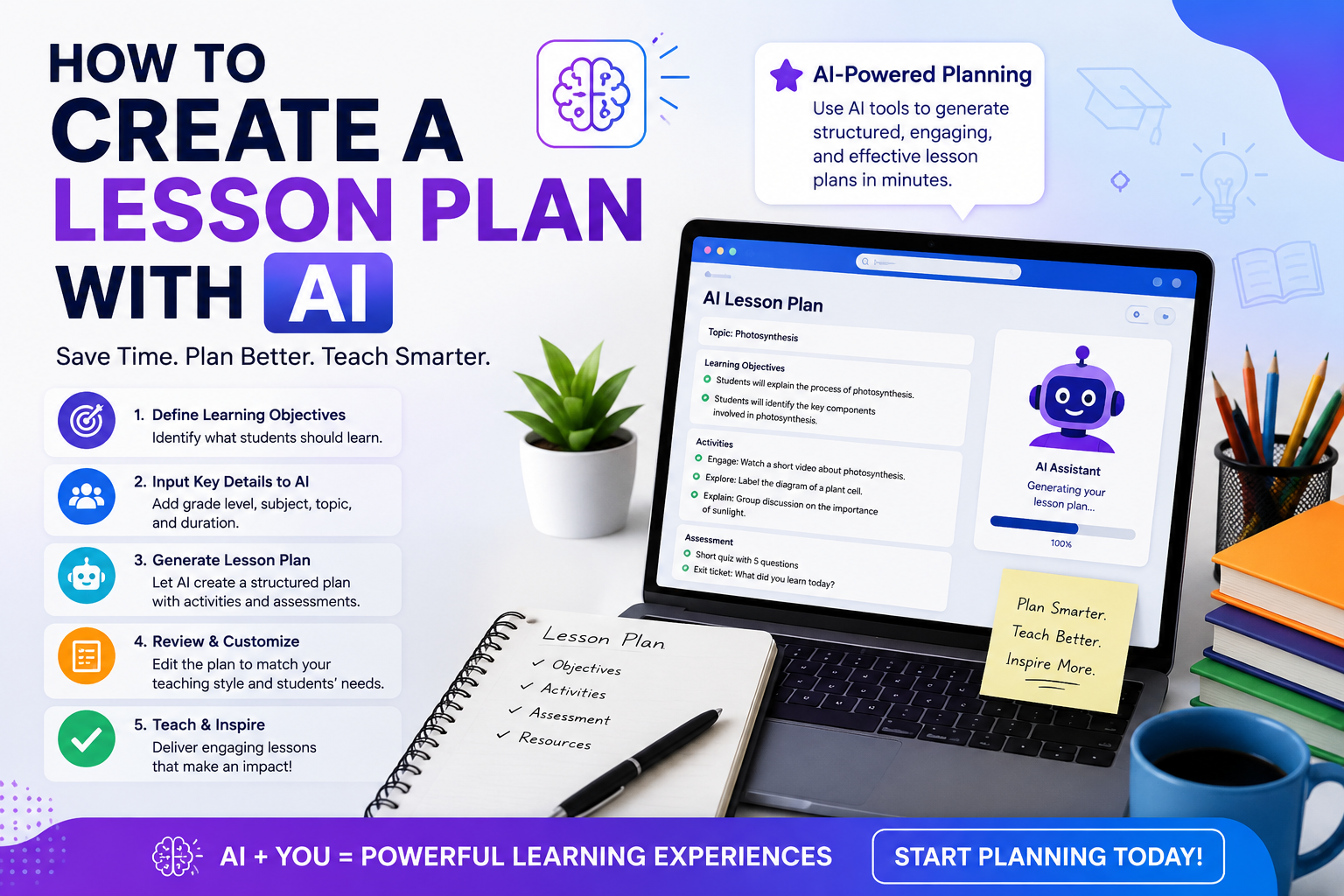
Step-by-Step: How to Create a Lesson Plan with AI
Ready to try it? Here’s the exact process, whether you’re using ChatGPT, Claude, Gemini, or a dedicated free AI lesson planner.
Step 1: Gather Your Essentials Before You Prompt
Before you type anything, know these five things:
- Grade level and subject (e.g., 7th grade science)
- Topic and learning objective (what should students know or do by the end?)
- Lesson duration (45 minutes? 90-minute block?)
- Student context (class size, ability range, ELL students, IEPs)
- Standards to align with (if applicable)
Two minutes of preparation here saves twenty minutes of revision later.
Step 2: Write a Detailed Prompt
This is where most teachers go wrong. Typing “make a lesson plan about fractions” gets you a generic, forgettable result. Instead, use a structured prompt like this:
“Act as an experienced 5th grade math teacher. Create a 50-minute lesson plan on adding fractions with unlike denominators. My class has 28 students, including 4 English language learners and a wide ability range. Include: a 5-minute warm-up, direct instruction with a real-world example, a hands-on group activity, an exit ticket for formative assessment, and differentiation strategies for both struggling and advanced students. Align it to Common Core standard 5.NF.A.1.”
Notice the difference? You’ve given the AI a role, a time frame, a student context, a structure, and a standard. That’s the recipe for a usable first draft.
Once you find a format that works, you can reuse it all year by swapping out the topic.
Step 3: Review and Refine with Follow-Up Prompts
The first draft is never the final draft and that’s fine, because refining with AI is conversational. Try follow-ups like:
- “Make the group activity more hands-on and low-prep.”
- “Add a formative assessment checkpoint after the direct instruction.”
- “Rewrite the warm-up as a quick game.”
- “Simplify the vocabulary for English language learners.”
- “This class struggles with attention break the instruction into shorter chunks.”
Each iteration takes seconds. This back-and-forth is the real magic of a ChatGPT lesson plan workflow: you’re not starting over, you’re sculpting.
Step 4: Apply Your Teacher Filter
This step is non-negotiable. AI tools occasionally invent facts, misjudge timing, or suggest activities that won’t work in your specific classroom. Before you teach, check:
- Accuracy Are all facts, dates, and formulas correct?
- Feasibility Do you actually have the materials and time?
- Fit Does this match your students’ needs and your school’s policies?
- Standards Did the AI cite the standard correctly, or did it improvise?
You are the quality control. AI drafts; you decide.
Step 5: Generate the Supporting Materials
how to create a lesson plan with ai you multiply your time savings. Once your lesson plan is approved, ask the same AI to build everything around it:
- “Create a 10-question quiz based on this lesson, with an answer key.”
- “Write a worksheet with 5 practice problems, from easy to challenging.”
- “Draft a homework assignment that reinforces today’s objective.”
- “Create a rubric for the group activity.”
- “Write a short note to parents explaining what we learned this week.”
A lesson plan, quiz, worksheet, and parent note all generated in under fifteen minutes. That’s the workflow that turns Sunday-night dread into Sunday-night Netflix.
You have two categories to choose from: general-purpose AI chatbots and purpose-built education platforms.
General AI Chatbots (Flexible and Mostly Free)
- ChatGPT The most popular starting point. The free tier handles most planning tasks well, and a ChatGPT lesson plan can be refined endlessly through conversation.
- Claude Excels at longer, more detailed plans and nuanced instructions. Great for building full units and handling large curriculum documents.
- Google Gemini Integrates with Google Docs, Slides, and Classroom, which is handy if your school runs on Google Workspace.
Dedicated AI Lesson Plan Generators (Built for Teachers)
- MagicSchool AI A hugely popular free AI lesson planner with 80+ teacher-specific tools, from lesson plans to IEP support and report card comments.
- Eduaide.ai Strong for generating varied instructional resources and translating materials.
- Diffit Brilliant for leveling any text to different reading abilities.
- Curipod Turns lesson topics into interactive slide decks with built-in polls and drawing prompts.
- Brisk Teaching A Chrome extension that creates materials directly inside Google Docs and Slides.
Which should you choose? Start with a free general chatbot to learn prompting. If you want ready-made teacher templates and don’t want to write prompts from scratch, a dedicated free AI lesson planner like MagicSchool is the fastest on-ramp.
Beyond Single Lessons: AI Curriculum Planning
Once you’re comfortable with individual lessons, the next level is AI curriculum planning using AI to design entire units, terms, or year-long scope and sequences.
Try a prompt like:
“Create a 4-week unit plan for 9th grade English on ‘To Kill a Mockingbird.’ Include weekly themes, essential questions, key vocabulary, one major assessment per week, and a final project with a rubric. Show it as a table.”
From there, you can zoom in: “Now expand Week 2, Day 3 into a full lesson plan.” This top-down approach keeps every lesson connected to the bigger picture something that’s genuinely hard to do when you’re planning one exhausted evening at a time.
AI curriculum planning is also brilliant for:
- Backward design start with the final assessment and ask AI to map lessons toward it
- Pacing guides fit your required standards into the actual school calendar, minus holidays and testing weeks
- Cross-curricular links “Suggest ways to connect this history unit to our art and English curriculum”
- Gap analysis paste your existing unit and ask, “Which standards am I not covering?”
Common Mistakes to Avoid
Learning how to create a lesson plan with AI has a short learning curve, but watch out for these pitfalls:
- Vague prompts. “Plan a lesson on the water cycle” produces generic mush. Context is everything.
- Skipping the review. Never teach an AI plan you haven’t read carefully. Hallucinated facts are rare but real.
- Ignoring your students. AI doesn’t know that your third period gets restless after lunch. You do so tell it, or adjust manually.
- Sharing private data. Never paste student names, grades, or IEP details into public AI tools. Anonymize everything.
- Over-relying on AI. If every lesson is AI-generated and untouched, your teaching voice disappears. Use AI for the scaffolding; add the soul yourself.
- Not checking school policy. Some districts have AI guidelines. Know yours before you build your whole workflow around a tool.
A Realistic Look at the Time Savings
Let’s do the math. A traditional lesson plan might take 45–60 minutes to write from scratch. With a good prompt and two refinement rounds, an AI-assisted plan takes 10–15 minutes including your review.
Plan five lessons a week, and you’re reclaiming roughly three to four hours every single week. Over a school year, that’s more than 120 hours. That’s not a productivity hack; that’s a month of evenings back in your life.
Final Thoughts: You’re Still the Teacher
The fear that AI will replace teachers gets it exactly backward. AI can’t build relationships, read the room when a lesson isn’t landing, or notice that a quiet student needs encouragement. It can’t do the human parts which are the parts that matter most.
What it can do is take the repetitive, formulaic work of lesson planning off your plate so you have more energy for the humans in front of you.
So here’s your homework (don’t worry, it’s short): open a free AI tool tonight, use the five-step process above, and draft one lesson for next week. Compare it to your usual process. We’re betting you’ll never fully go back.
Your Sunday evenings will thank you