
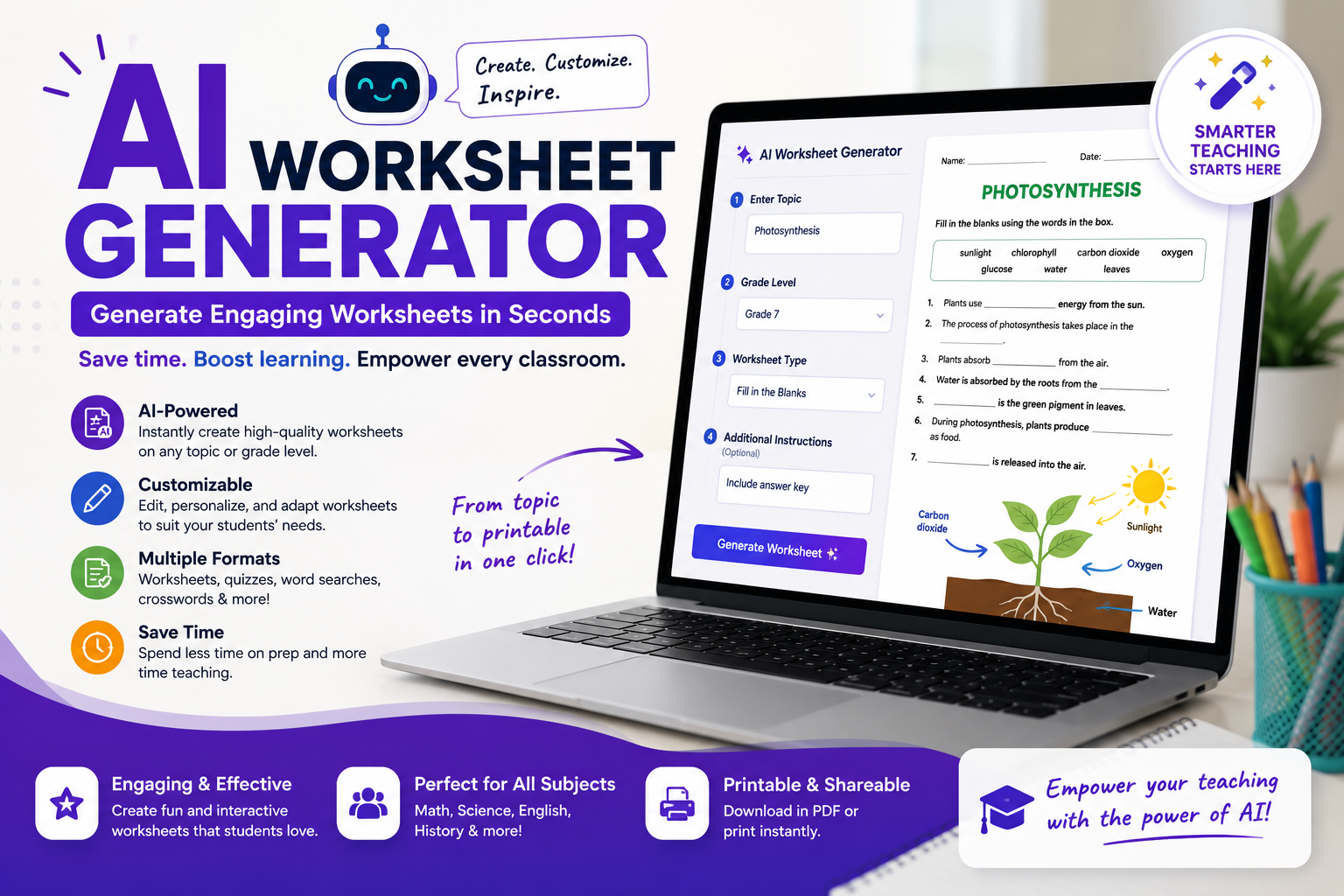
Every teacher knows the feeling. It’s 9 p.m., tomorrow’s lesson plan is ready, but the practice worksheet still isn’t. You open a blank document, stare at it, and wonder where the next hour of your evening just went. If that sounds familiar, an AI worksheet generator might be the single biggest time-saver you add to your teaching toolkit this year.
In this guide, we’ll break down exactly what these tools do, how they work, which features actually matter, and how to choose a free worksheet maker for teachers that fits your classroom, without drowning in tech jargon.
What Is an AI Worksheet Generator?
An AI worksheet generator is a tool that uses artificial intelligence to automatically create practice materials, quizzes, comprehension questions, fill-in-the-blanks, matching activities, and more, based on a topic, a grade level, or even a passage of text you paste in.
Instead of manually writing ten multiple-choice questions about the water cycle, you simply type “water cycle, grade 5, 10 questions,” and the tool drafts a complete, ready-to-edit worksheet in seconds. Many platforms also work as a worksheet generator from text, meaning you can paste an article, a chapter excerpt, or your own lesson notes, and the AI builds questions directly from that source material.
The result? What used to take 45 minutes now takes about 3.
Read more: ChatGPT Prompts
Why Teachers Are Switching to AI-Powered Worksheet Tools
Teacher workload is no small issue. Studies consistently show educators spend a significant chunk of their week on planning and material preparation, often outside contracted hours. Here’s why an AI worksheet generator has become such a popular fix:
1. Speed That Actually Changes Your Evenings
The most obvious benefit is the ability to create worksheets fast. A well-prompted tool can produce a full activity sheet, complete with an answer key, in under a minute. Multiply that across five classes and a full school year, and you’re reclaiming dozens of hours.
2. Effortless Differentiation
This is the quiet superpower. Good AI tools can take one topic and instantly produce three versions of the same worksheet: one simplified for struggling readers, one on grade level, and one extended for advanced students. Differentiating by hand is one of the most time-consuming parts of teaching; AI makes it nearly automatic.
3. Fresh Material Every Time
Recycled worksheets get stale, and answer keys have a way of circulating among students. Because AI generates new content on demand, you can refresh question sets every term, or even create a unique version for each class period.
4. Support for Every Subject
Whether you teach math, ELA, science, history, or a foreign language, an AI worksheet generator can adapt. Math teachers can generate practice problems with varied difficulty, while language teachers can build vocabulary matching, cloze passages, and grammar drills.
Key Features to Look For
Not every tool is created equal. Before you commit to one, check for these essentials:
Grade-level control. The best platforms let you set a target reading level so the vocabulary and complexity match your students. This matters enormously for elementary versus secondary classrooms.
Multiple question types. Look for multiple choice, short answer, true/false, fill-in-the-blank, matching, and open-ended prompts.
Text-based generation. A worksheet generator from text is invaluable when you want questions tied to a specific reading, a news article, a textbook passage, or a primary source document, rather than generic topic questions.
Editable output. AI drafts should be a starting point, not a final product. You need the ability to tweak wording, delete weak questions, and add your own before printing.
Answer keys. Automatic answer key generation saves you from doing the worksheet yourself just to grade it.
Export options. AI printable worksheets should download cleanly as PDF or Word files, formatted properly for standard paper, no weird margins, no cut-off questions.
Read more: Teaching Workflows
Popular Tools Worth Knowing (Including Diffit)
The market has grown quickly, and a few names come up again and again in teacher communities.
Diffit has become one of the most talked-about options, and for good reason. Diffit worksheets are built around differentiation: paste in any text or topic, and it generates leveled versions of the reading along with vocabulary lists, comprehension questions, and activities. For teachers with mixed-ability classrooms, it’s a genuinely practical solution, and it offers a free tier that covers a lot of everyday needs.
General-purpose AI assistants (like Claude or similar chatbots) can also function as a flexible AI worksheet generator if you write a clear prompt. They’re not purpose-built for education, but they offer unmatched customization; you can describe exactly the format, tone, and difficulty you want, then paste the output into your own template.
Education-specific platforms such as quiz builders and lesson-planning suites often bundle worksheet creation with other features like slide generation and rubric builders. These can be great if you want an all-in-one workflow, though the best features sometimes sit behind a paywall.
The honest takeaway: there’s no single “best” tool. A free worksheet maker for teachers who mostly need reading comprehension sheets looks different from the ideal pick for a middle-school math teacher generating practice problem sets. Try two or three free options before paying for anything.
Read more: free AI tools for teachers
How to Get Better Results: Prompting Tips That Work
The quality of what an AI worksheet generator produces depends heavily on what you ask for. A vague request gets a vague worksheet. Here’s a simple formula that consistently produces strong results:
Topic + Grade Level + Question Types + Quantity + Special Instructions
For example, instead of typing “photosynthesis worksheet,” try:
“Create a grade 7 worksheet on photosynthesis with 5 multiple-choice questions, 3 short-answer questions, and 1 diagram-labeling activity. Include an answer key. Keep vocabulary appropriate for English language learners.”
That level of detail transforms the output. A few more tips:
- Paste source text when accuracy matters. For content tied to your curriculum, use the tool as a worksheet generator from text so questions come from your actual material, not the AI’s general knowledge.
- Ask for distractors that reflect real misconceptions. For multiple choice, request wrong answers based on common student errors. This turns a simple quiz into a diagnostic tool.
- Request scaffolds. Ask for sentence starters, word banks, or hint boxes for students who need extra support.
- Iterate. If the first draft is too easy or too hard, just say so.
- What AI Gets Wrong (And How to Stay in Control)
Let’s be honest about the limitations, because pretending they don’t exist helps no one.
Factual errors happen. AI can occasionally state something incorrect, especially on niche or very recent topics. Always review content before it reaches students. You’re the subject expert; the AI is the fast typist.
Generic questions creep in. Without a detailed prompt, you may get surface-level recall questions instead of higher-order thinking tasks. Explicitly ask for analysis, comparison, or application questions when you want depth.
Alignment isn’t automatic. The tool doesn’t know your district’s standards or your pacing guide unless you tell it. Mention the specific standard or skill you’re targeting.
Formatting quirks. Some AI printable worksheets need light cleanup before they look classroom-ready. Budget two or three minutes for a final polish.
The rule of thumb: treat AI as a talented teaching assistant who drafts quickly but needs your editorial eye. The pedagogy stays with you.
A Quick 5-Step Workflow for Busy Teachers
- Pick your source. A topic, a standard, or a text passage.
- Write a detailed prompt using the formula above.
- Generate and skim. Delete weak questions, fix any errors.
- Differentiate. Ask for a simplified and an extended version.
- Export and print. Save the PDF, file it in your unit folder, done.
Once this becomes habit, worksheet creation stops being a Sunday-night chore and becomes a five-minute task you handle between classes.
Final Thoughts
Teaching will always demand creativity, judgment, and human connection, and no algorithm replaces that. But the repetitive production work? That’s exactly what technology should absorb. An AI worksheet generator won’t plan your lessons or know your students the way you do, but it will hand you back the hours you’ve been losing to formatting and question-writing.
Start small: pick one free tool this week, generate a single worksheet for an upcoming lesson, and compare the time spent against your usual process. For most teachers, that first experiment is all the convincing it takes. Your evenings, and your students, will thank you.