
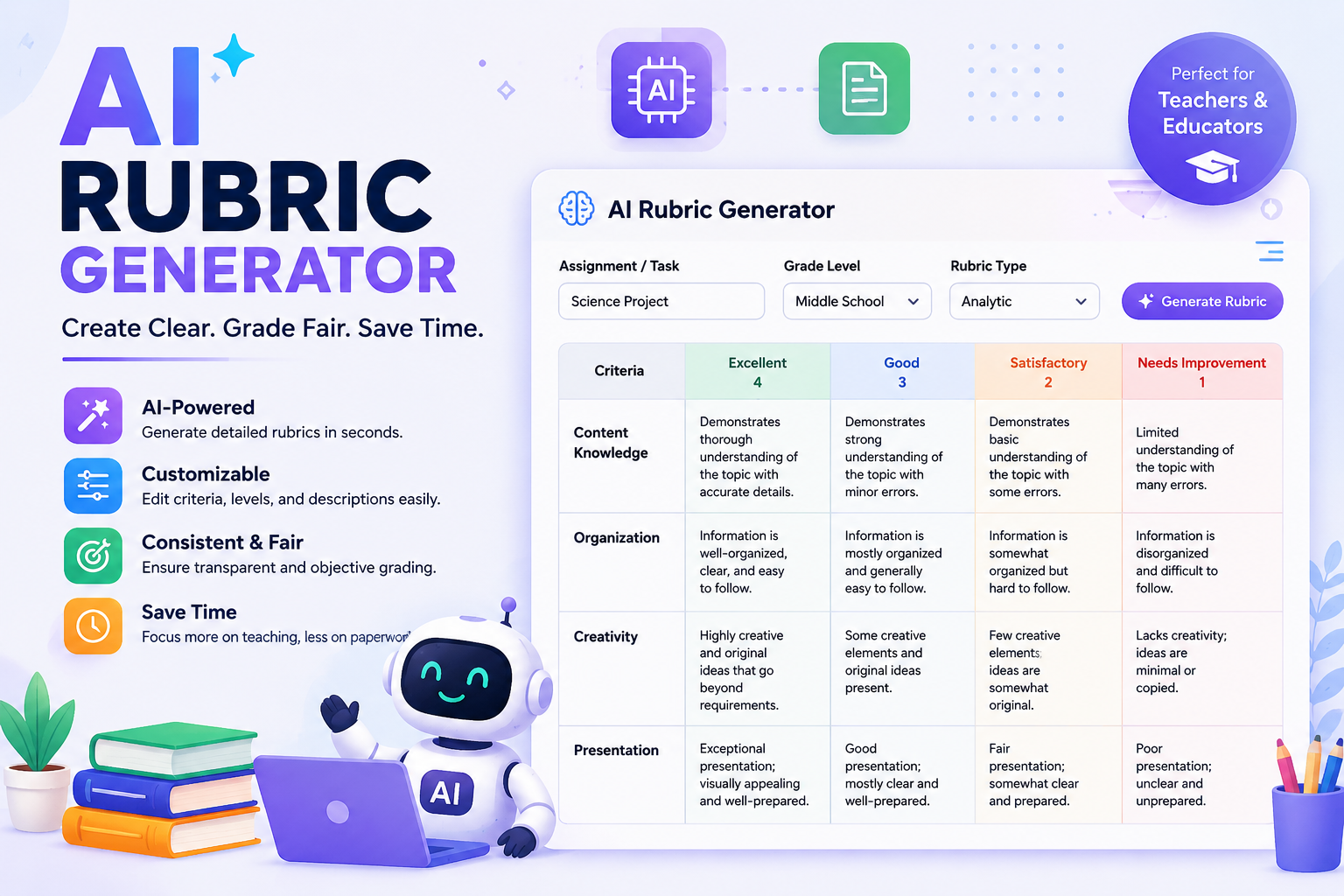
Grading papers, projects, and presentations is one of the most time-consuming parts of a teacher’s job. Between lesson planning, classroom management, and actual instruction, sitting down to design a fair, detailed rubric from scratch often falls to the bottom of the to-do list. That’s exactly why so many educators are turning to an AI rubric generator to save hours every week while producing more consistent, professional results.
If you’ve ever typed “free rubric maker” into Google at 11 p.m. the night before an assignment is due, this post is for you. We’ll walk through what that actually does, why it’s become a go-to tool for teachers, how to write a solid chatgpt rubric prompt, and how to use one effectively so your grading stays fair, fast, and transparent.
What Is an AI Rubric Generator?
An AI rubric generator is a tool often powered by large language models like ChatGPT, Claude, or purpose-built ed-tech platforms that automatically creates a structured grading rubric based on your assignment details. Instead of manually typing out criteria, performance levels, and point values in a spreadsheet or Word document, you simply describe your assignment, and the AI builds a ready-to-use rubric in seconds.
Read Hear: brisk teaching review
Most tools ask for a few basic inputs:
- The subject and grade level
- The assignment type (essay, presentation, science project, group work, etc.)
- The specific skills or standards you want to assess
- The number of performance levels (e.g., Excellent, Good, Needs Improvement)
From there, the AI produces a full grading rubric template you can copy, edit, and hand out immediately. Many tools also let you export the rubric as a PDF, Google Doc, or spreadsheet, making it easy to share with students, parents, or co-teachers.
Why Teachers Are Switching to AI-Generated Rubrics
1. It Saves Serious Time
Writing a rubric manually can take anywhere from 20 minutes to over an hour, especially if you’re aiming for detailed, standards-aligned criteria. An assessment rubric creator powered by AI can produce a comparable draft in under a minute. That time savings adds up fast across a school year, especially for teachers juggling multiple preps or large class sizes.
2. Consistency Across Assignments
When rubrics are built manually, wording and grading criteria can drift slightly from one assignment to the next, which makes it harder for students to see how expectations connect across a unit. AI tools apply a consistent structure and tone every time, so your rubrics feel like part of a cohesive grading system rather than a patchwork of one-off documents.
3. Built-In Ideas and Language You Might Not Have Considered
Even experienced teachers hit a wall trying to phrase the difference between “proficient” and “developing” performance. AI rubric generators often suggest clearer, more specific descriptive language, which reduces ambiguity for students and makes grading decisions easier to defend if a parent or student ever questions a grade.
4. Easy Customization
A good AI-generated rubric isn’t meant to be used exactly as-is. It’s a strong first draft that you can tweak adjusting point values, renaming categories, or adding a criterion specific to your classroom. This hybrid approach (AI draft + human refinement) tends to produce better results than either method alone.
5. Accessibility for New or Substitute Teachers
New teachers, student teachers, and substitutes often lack a library of ready-made rubrics to draw from. An AI rubric generator levels the playing field, giving less experienced educators access to professional-quality tools instantly.
How to Write an Effective ChatGPT Rubric Prompt
If you’re using a general-purpose AI chatbot instead of a dedicated rubric tool, the quality of your output depends heavily on your prompt.
1. State the assignment clearly. Example: “Create a rubric for a 5-paragraph persuasive essay for 8th-grade students.”
2. Specify the criteria you want assessed. Example: “Assess thesis clarity, use of evidence, organization, grammar, and persuasive techniques.”
3. Define your performance levels. Example: “Use four levels: Exceeds Expectations, Meets Expectations, Approaching Expectations, and Needs Improvement.”
4. Set the format. Example: “Present the rubric as a table with criteria in rows and performance levels in columns, including point values totaling 100.”
5. Add context if relevant. Mention grade level, subject standards (like Common Core or state standards), or specific skills you’re targeting this unit.
A complete prompt might read:
“Act as an experienced middle school English teacher. Create a detailed grading rubric for a persuasive essay assignment for 8th graders. Assess five criteria: thesis clarity, evidence and support, organization, grammar/mechanics, and persuasive techniques. Use four performance levels (Excellent, Proficient, Developing, Beginning) with point values totaling 100. Format the output as a table.”
The more specific your prompt, the less editing you’ll need to do afterward.
Read Hear: eduaide ai review
Rubric Examples for Teachers Across Subjects
To see how flexible AI-generated rubrics can be, here are a few rubric examples for teachers across different subjects and assignment types:
- Writing Assignments: Criteria might include thesis statement, organization, voice, grammar, and use of evidence.
- Group Presentations: Look at content accuracy, delivery/public speaking, visual aids, teamwork, and time management.
- Math Problem Sets: Criteria may focus on correct methodology, accuracy, work shown, and clarity of explanation.
- Art Projects: Assess creativity, technical skill, adherence to the assignment prompt, and effort/process.
Each of these can be generated in seconds with an AI tool, then customized with your own point values or added criteria specific to classroom expectations.
Read more: how to build the lesson plan first
Choosing the Right Free Rubric Maker
Not every tool is created equal. When evaluating a free rubric maker, look for these features:
- Customization options Can you edit criteria, point values, and performance level labels?
- Export formats Does it support PDF, Word, Google Docs, or spreadsheet downloads?
- Standards alignment Can you tie criteria to Common Core, state standards, or specific learning objectives?
- Ease of use Is the interface simple enough to use between classes without a steep learning curve?
- Reusability Can you save templates for future assignments, or does every rubric start from zero?
Many general AI chat tools (like Claude or ChatGPT) work well for one-off rubrics, while dedicated ed-tech platforms may offer better long-term organization if you’re building a full rubric library across a school year.
Best Practices When Using it.
While AI tools are powerful, they work best when paired with a bit of teacher judgment. Keep these tips in mind:
- Always review before distributing. AI can occasionally produce vague or overlapping criteria read through the output carefully before sharing it with students.
- Align with your actual learning objectives. Make sure the rubric reflects what you actually taught, not just generic category names.
- Get student input when possible. Sharing a draft rubric with students and asking for feedback can improve buy-in and clarity.
- Keep it simple. More criteria isn’t always better. 4 to 6 well-defined categories are usually easier for students to understand than 10 vague ones.
- Save your favorites. Once you’ve refined a rubric you like, save it as a grading rubric template you can reuse and adapt for future assignments.
Final Thoughts
An AI rubric generator isn’t about replacing a teacher’s judgment, it’s about giving you a fast, reliable starting point so you can spend more time teaching and less time formatting spreadsheets. Whether you’re searching for a free rubric maker for a single assignment, testing out a chatgpt rubric prompt for the first time, or building a full library of rubric examples for teachers across your curriculum, AI tools have made rubric creation faster, more consistent, and far less stressful.
The next time you’re staring at a blank grading rubric template with a deadline looming, consider letting it do the heavy lifting then apply your expertise to make it truly yours.
Read more: diffit review